
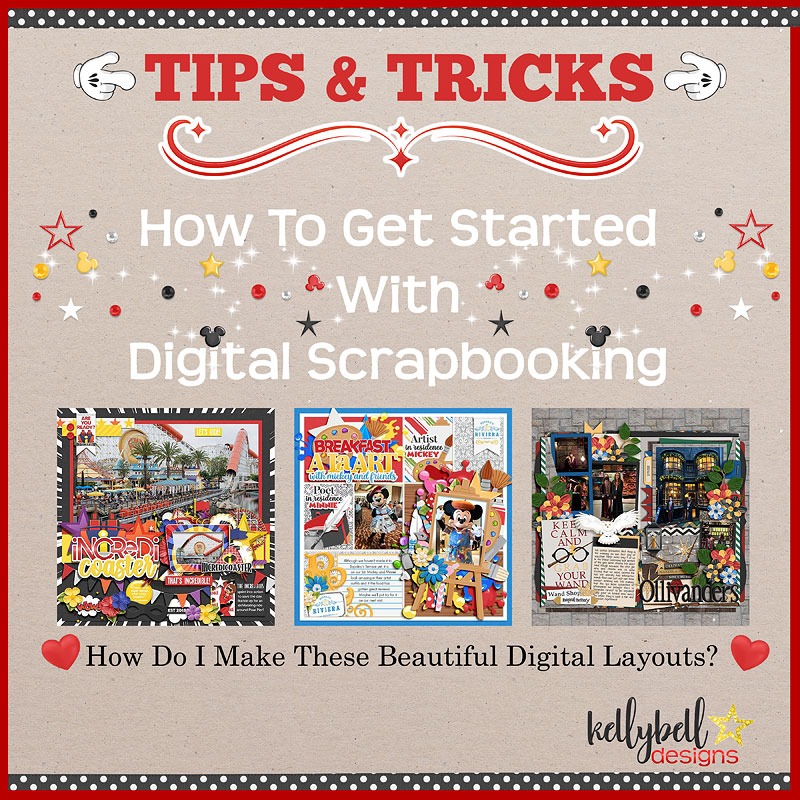
Ever wonder how to get started with digital scrapbooking?
CT Member Sheryl here with some tips and tricks about digital scrapbooking. I started apprehensively in the digital scrapbooking world back in the early 2000’s when the company I worked for created a digital scrapbooking software program. As a traditional paper scrapper, I was reluctant at first to switch to digital as I loved playing with all of my papers and stickers so much. As I began to experiment and learn about creating digital layouts, I realized the huge advantages of digital verses paper scrapbooking:
-
Easily resize and fit way more photos on a page
-
Easily enhance or recolor my photos
-
Change the size and color or the elements and paper
-
Use favorite kits over and over again (no repurchasing!)
-
Hoard as many supplies as you want without taking up valuable storage space in your home
-
Clean working space (dining room table not covered in a project)
-
Take your projects with you in a laptop bag anywhere
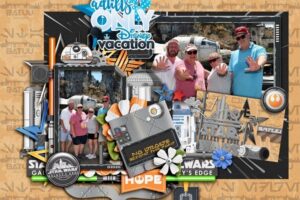
Here’s a quick look at one of my original paper layouts and one of my more recent digital layouts.
So how do you get started?
First you need to pick a digital software program that works with you and your computer. There are great resources out there for making that decision. Click HERE for a list of programs for 2022 from Top Ten Reviews. My Memories Suite 9 comes in at #1 overall followed by Memory Mixer and Artisan 5 (what I use). An unofficial survey of the online scrapbooking sites I frequent reveals that Adobe Photoshop is one of the most popular but it has a bigger learning curve than some of the others. Photoshop Elements is a bit easier to use than the fully functional Photoshop.
Next, you must learn how to use your software program, this step takes some time. YouTube has some great tutorials to get you started. A quick search on Google and you will get to know your program and find some help in no time at all.
Finally, you need to get some digital scrapbooking kits and accessories. There are lots of freebie starter kits out there and some software programs include some basic kits. If you are reading this, you may be a Disney fan. Kellybell Designs collections are the best you can find for your favorite Disney characters, locations, and themes! Her collections include a kit, page starters, journal cards, pockets, snippets, word art, word flairs and quick pages. Plus her Creative Team makes freebies for each new release for you to collect.
What are templates and Quick Pages?
Templates are a great way to get started quickly as the page is already designed for you and in most programs, you can move things around to suit you. Kelly’s templates are sized at 12×12 at 300 dpi. The file formats include layered .PSD files, layered .TIFF files, layered .PAGE files for use with SBC/Artisan, and individual .PNG files for non Photoshop scrappers. You will need to use a software program to add in your photos and layer in papers and elements.
Another fast layout option is Quick Pages. Quick Pages are pre-formatted scrapbook layouts containing background papers, layered frames, and numerous clustered elements. Their purpose is to jump start your layouts and make it easy to create a scrapbook page. You can use them as is or add extra embellishments. Kelly’s Quick Pages are are PNG files sized at 12×12 at 300dpi. They are flattened images so you can’t move around any of the embellishments. There are “openings” in the page where you can add in your digital photos behind the page. You can also add your own elements, journaling, and titles to the page. Kelly has at least 4 Quick Pages offered with most of her collections.
What are ZIP, JPG and PNG files?
When you buy a digital art kit or template, it will come in a ZIP file which is a compressed grouping of files that are much quicker to download from the Shop to your computer. Compressed ZIP files will have to be “unzipped” before you can use them. Extracting your goodies is usually an easy option choice from your downloads folder, or by right clicking on the file and selected Extract, or using a program like Extract Now to unzip multiple files. Papers are sized at 12×12 and are stored as a JPG file. Elements, journal cards, pockets, snippets, word art, etc are stored as PNG files. These extensions will be recognized by your software.
Next comes backing up and organizing all your digital collections. Backing up your computer files is critical to prevent losing all your precious photos, layouts and scrapbook supplies. There are several cloud based backup programs available as well as backing up to external hard drives. You will also want to organize your files so that your scrapbooking program can find them. I keep mine in folders by designer name. Others like to organize by theme.
Start practicing!
Now you get to have fun creating your layouts! The great thing about digital scrapbooking is the ease of editing. No peeling off sticky glued papers or reprinting pictures you cut incorrectly. Layouts are created by layering items on a digital page. You start with background papers, add in some frames to put your photos in, add some decorative elements around the page, write some journaling to document your memory, add in a title, add shadows to make the elements more realistic looking, and then save your page. If you made a mistake, you can always “Undo” something and start over. The possibilities are endless!
Can I still print my layouts?
There are 2 ways to print out your scrapbook layouts. First you can print each individual page. You can print them on your own printer at home, or you can use a service like Persnickety Prints which is fabulous for printing out single pages. But any store that offers photo printing can print your layouts for you. Then you can take your individual pages and organize them however you wish by placing them in a notebook or photo album. The second way is to use a photo book printing service to create a physical photo book. You upload all your digital scrapbook layouts, create a cover page and back cover page, and have an entire book printed for you. This is my favorite option because I can print copies of books for friends and family. I use Shutterfly, but some other great services are Forever, Mixbook and Snapfish. There are so many photo service companies out there.

Leave a Reply
Your email is safe with us.
You must be logged in to post a comment.