
If you’re a traditional paper scrapper, you can use digital files to print and cut your own paper elements. Digital files offers paper scrappers more flexibility and allows you to broaden your choices when making a paper layout. Depending on your background, this may sound very easy or it might seem totally overwhelming.
Luckily, we have Creative Team member Lisa as our Video/YouTube gal to share with you tons of hybrid scrapbooking tutorials as well as Scrap With Me process videos showing her making a paper layout using digital products. Make sure you check out Lisa on her YouTube channel at Lisa (@LifeInLayouts): https://www.youtube.com/@LifeinLayouts
Today’s blog post shares with you all the Hybrid Scrapbooking tutorials that Lisa has created, and a handful of her Scrap With Me videos. It’s just so much fun to watch how she uses a random bunch of cut elements, papers, and photos, then expertly crafts them into a beautiful paper layout. Lisa owns a Silhouette Cameo 4 cutting machine and uses the Silhouette Studio software for her videos – these concepts can also be applied if you have a Cricuit cutting machine. A few tutorials also include instructions using Canva.

There are 13 hybrid scrapbooking video tutorials listed below. Topics range from getting started after purchasing Kellybell Designs products, uploading images, resizing elements, how to print & cut, how to add dimension, how to use Page Starters and Date Packs, and much more. Check out the tutorial descriptions and click on the corresponding link to watch the video. Lisa is very open and willing to create more in-depth tutorials, leave a comment below if there’s a topic you’d like more help with.
Learn the step-by-step process of downloading, organizing, and storing your digital files—perfect for scrapbookers looking to create hybrid layouts! Lisa shows you how to access your purchases from Kellybell Designs, extract and rename files for easy navigation, and store them efficiently using Google Drive. Whether you’re new to digital or hybrid scrapbooking or just need a better system, these tips will help you stay organized and ready to create. Click HERE to watch.
Learn how to use the Print and Cut feature in Silhouette Studio. Lisa covers everything from setting up your page size and registration marks to adjusting your print settings and loading your mat into the Silhouette cutting machine. She also shares her personal tips for getting crisp, clean cuts and avoiding common pitfalls. Whether you’re new to hybrid scrapbooking or just need a refresher on print and cut, this tutorial will help you confidently combine digital designs with traditional scrapbook layouts. Click HERE to watch.
Learn how to upload digital images into Silhouette Studio to create stunning hybrid scrapbook layouts. Whether you’re using the Print & Cut feature to avoid fussy cutting or simply organizing your digital elements, Lisa walks you through two different methods to bring your images into the software with ease. She also shares her preferred workflow for maintaining high-quality prints and efficiently arranging elements . Click HERE to watch.
Learn how to use Silhouette Studio to resize digital elements for printing and cutting. Lisa walks you through how she planned out her layout using sketches, resized embellishments, and prepped images with offsets for that perfect print-and-cut finish. She even shows you how to bring in papers, arrange clusters, and streamline your workflow to make your pages pop! Click HERE to watch.
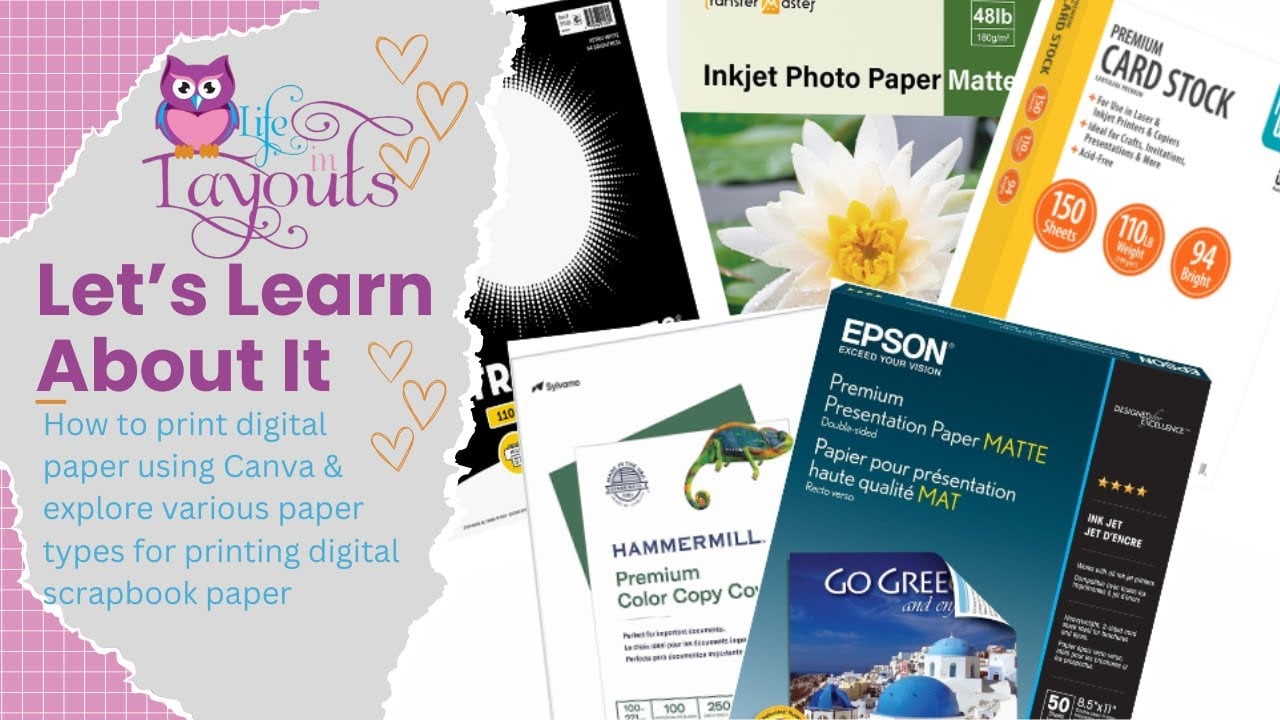
Learn how to print digital scrapbook paper using Canva as well as see a comparison of the best paper types for printing digital content at home. Lisa shows you step-by-step how to upload digital papers into Canva, resize and crop them to fit your layout, save them as print-ready PDFs, and adjust your printer settings for the best color and quality. She also reviews several popular paper options, including Pen+Gear, Astrobrights, Hammermill, and Epson Presentation Paper, so you can see which cardstock delivers the most vibrant results for hybrid scrapbook layouts. If you want to learn how to print digital scrapbook paper, choose the best paper for hybrid scrapbooking, and get professional-looking results with your home printer, this video will help you confidently turn digital products into beautiful scrapbook pages. Click HERE to watch.
Wondering if you can use digital scrapbooking content without an electronic cutting machine like a Cricut or Silhouette? Lisa walks you through two simple ways to print and fussy cut digital elements from Kellybell Designs, including using built-in PDF printables and customizing your own prints with Canva. Click HERE to watch.
Learn how to change and customize digital elements to perfectly fit your layout design! Whether you’re working with digital kits or creating hybrid scrapbook layouts using tools like Silhouette Studio, this video walks you through how Lisa transformed a digital journaling card to better match her layout needs. She’ll demonstrate step-by-step how to crop, layer, and modify elements—including covering existing text and adding your own graphics—to make your project truly unique. Click HERE to watch.
Learn how to use the knife tool in Silhouette Studio to remove parts of a digital element and customize it for your scrapbook layout. Lisa walks you through the process of trimming down a Mickey-shaped topiary to match a heart-shaped element from the Fun Flower Festival kit. This technique helps you get more versatility out of your digital kits and gives your hybrid scrapbook pages a more personalized touch. Click HERE to watch.
Learn how to add depth and dimension to your title pieces using digital alphas and layered word art. See the step-by-step process of arranging and layering alpha elements in Silhouette Studio, creating eye-catching, dimensional titles perfect for hybrid scrapbook layouts. Lisa also shows you how to use the offset tool and cut settings for a clean print-and-cut finish. Click HERE to watch.
Learn how to take a pocket card and layer it with coordinating digital elements to give it realistic depth and dimension—all using Canva! Whether you’re new to hybrid scrapbooking or looking for creative ways to enhance your journal cards, this tutorial will help you elevate your designs. Click HERE to watch.
Learn how to use the Offset Feature in Silhouette Studio to add a white (or colored) border around your digital elements—perfect for hybrid scrapbooking! If you’ve ever wondered how to achieve that polished, sticker-like look for your digital embellishments, this step-by-step guide will walk you through everything from setting the perfect offset size to ensuring clean, precise cuts. Click HERE to watch.
Learn exactly what Page Starters are and how to layer them for added dimension. Lisa walks you through her process in Silhouette Studio, from creating an offset for clean cuts to adding foam adhesive and enamel dots for texture. Whether you’re printing these clusters as-is or customizing them with additional embellishments, this tutorial will help you take your digital-to-physical layouts to the next level. Click HERE to watch.
Learn how to use the It’s A Date pack to create custom circle date embellishments in both Silhouette Design Studio and Canva. Lisa walks you through how to resize, erase, rebuild dates, match digital colors to your patterned papers, and prep everything for print and cut or simple fussy cutting. This video is perfect if you want to mix digital elements with your traditional scrapbook supplies, create your own one-inch bottle cap pieces, or learn some practical hybrid techniques. Click HERE to watch.
After you understand some of the tips and tricks of hybrid scrapbooking, it’s time to watch CT Member Lisa put together some double page layouts. You can watch her scrapping process from start to finish and see how the final layout came together. Lisa has over 60+ videos of making layouts with Kellybell Designs products – the full list can be found HERE. Her creative process will provide you with lots of inspiration to get started making your own paper layout using digital products! Check out these 9 double page layouts below with links to watch the process video.
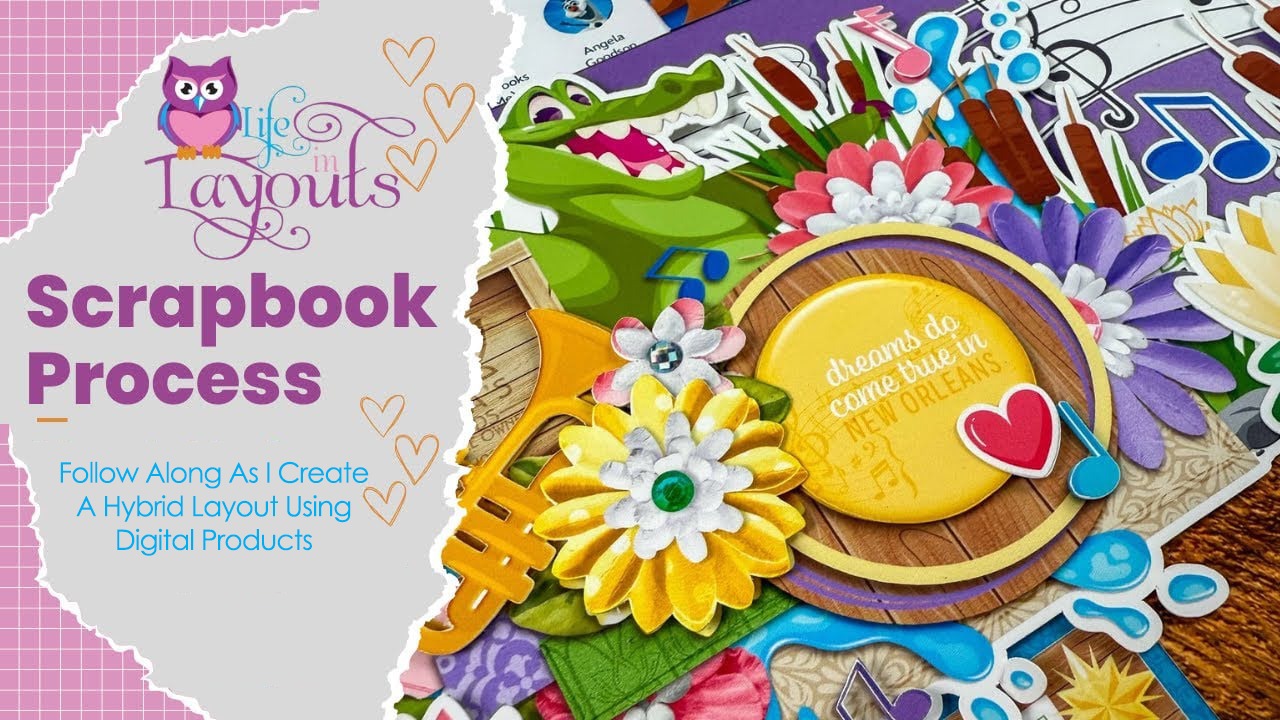

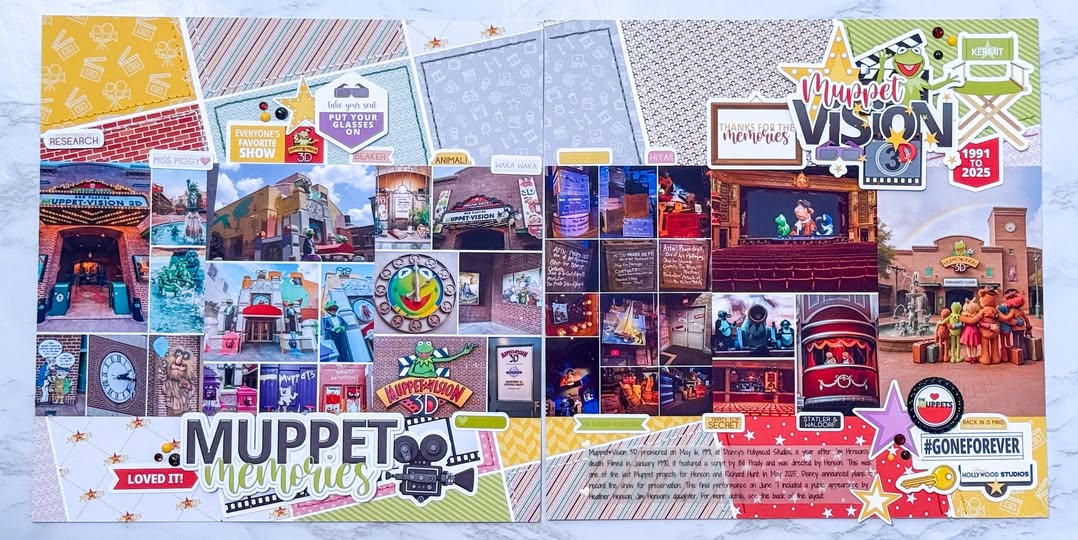
The first Scrap With Me Process video is a bittersweet double-page scrapbook layout using the Farewell to Muppet Vision collection. It’s the perfect way to document the final days of this beloved Disney attraction. Lisa used over 35 photos, including an AI-generated image of the Muppets saying goodbye, along with digital embellishments, scaled pattern papers, and her signature stitching to create a layout full of character and charm. See how she used the Silhouette print-and-cut features, paired elements from the Pocket Muppets collection, and added journaling to preserve the story of Muppet*Vision 3D. Click HERE to watch this process video.
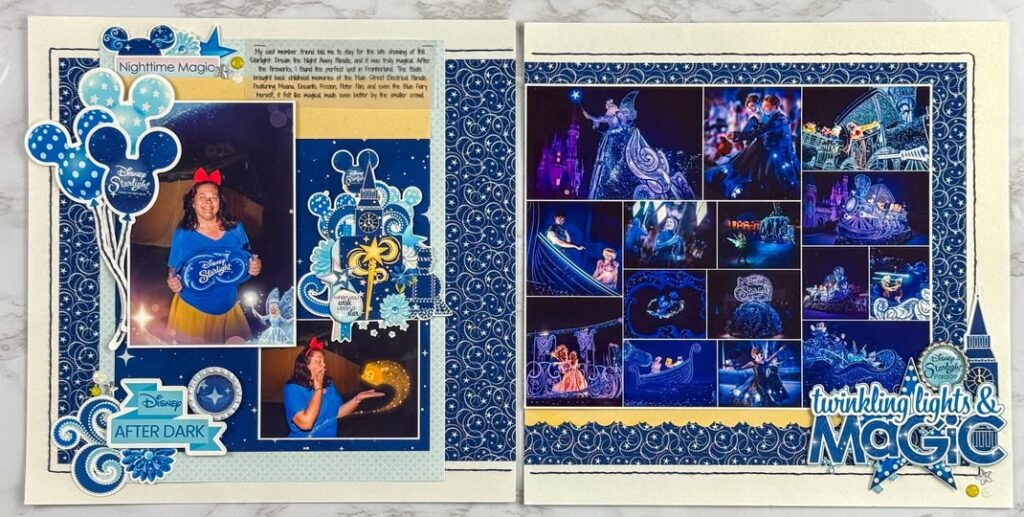
Check out this double page parade layout featuring the Parade Watch Starlight collection. Lisa shows you how to print and cut digital elements with Silhouette Studio software and her Silhouette Cameo 4 cutting machine, stretch background papers without a wide-format printer, and use stitching and layered embellishments to bring the parade magic to life. Plus, she created a new 10×8 photo template to showcase 15 photos on one grid! Click HERE to watch this video.
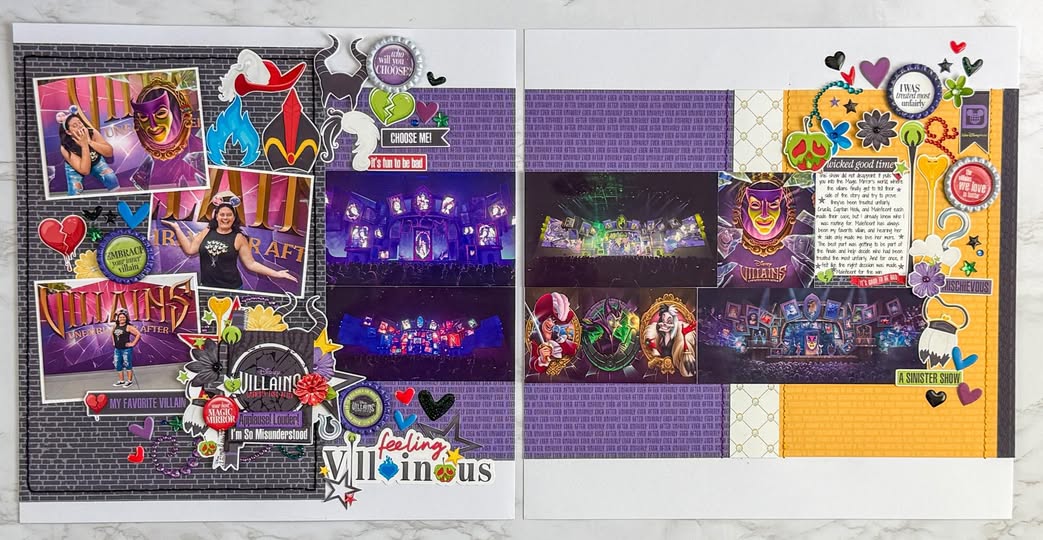
In this scrapbook process video, Lisa creates a Disney Villains double page layout using the Unhappily Ever After collection. She walks through her hybrid scrapbooking process using the Silhouette Cameo print and cut feature, shares how to incorporate 17 photos with a pocket page, and shows how to maximize space without a wide format printer. Click HERE to watch her process video.
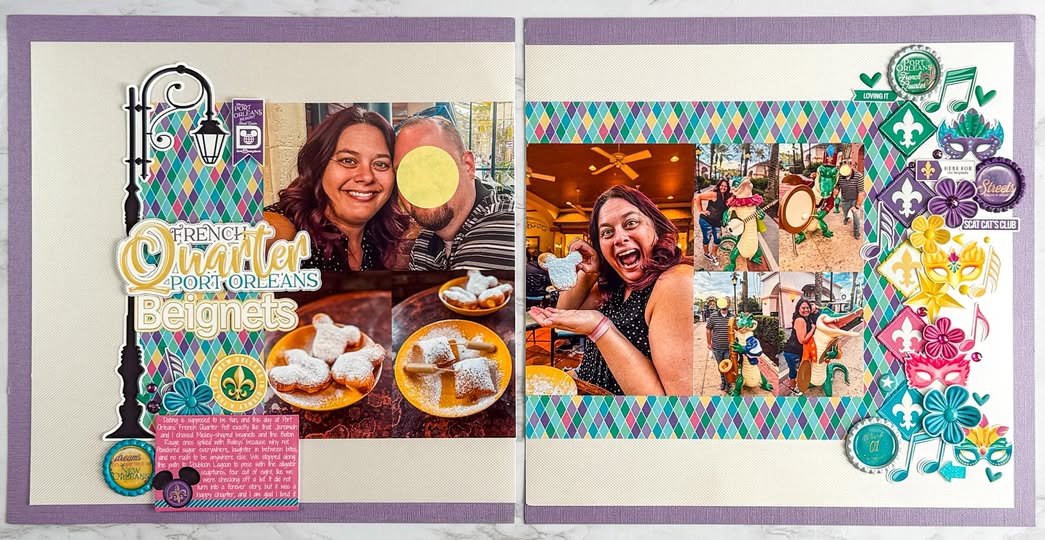
Next up is a double-page layout using the Bayou Adventure collection to document those delicious beignets. Lisa uses her Silhouette’s print and cut feature for cutting embellishments, layering digital papers, and adding interactive elements like a flip flap for extra photos. Watch as she shares scrapbooking tips for inking edges, creating dimension with foam adhesives, and using border punches. Click HERE to watch her process video.
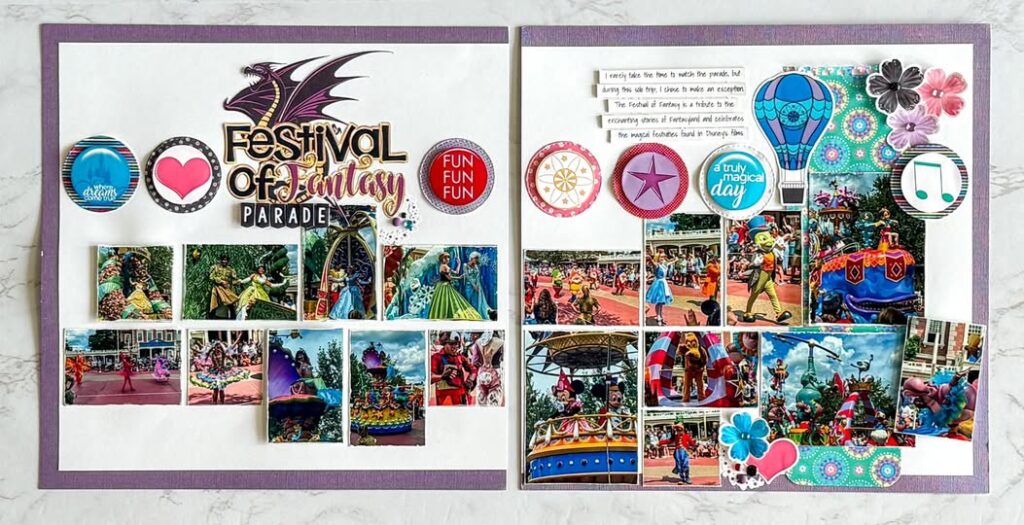
Check out this Festival of Fantasy Parade layout packed with 33 photos! Using both the Fantasy Parade collection and the My Happy Place collection, Lisa shows you how to maximize your space, incorporate circle elements, and even add a 9×12 page protector for a seamless extended design. Watch as she layers vibrant cardstock, strategically places embellishments, and ensures a cohesive design that flows across multiple pages. Click HERE to watch this video.
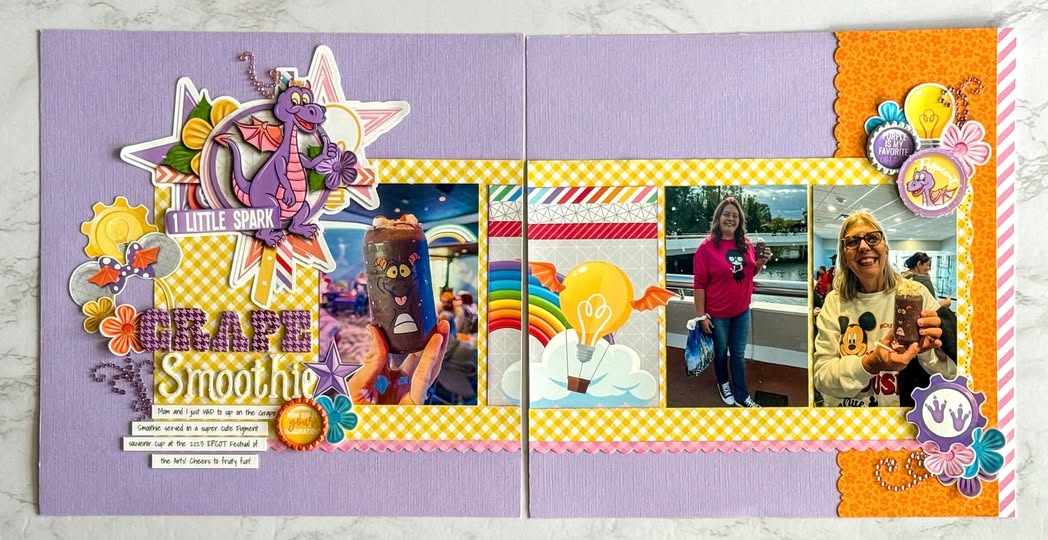
Everyone loves Figment! Watch as Lisa layers bold colors, playful embellishments, and dynamic textures to bring her 2023 EPCOT Festival of the Arts grape smoothie experience to life. From border punches to DIY journaling cards, she shares tips on hybrid scrapbooking, Silhouette cutting, and making the most of digital kits. She used both the Nice To Meet You Figment collection and the Fun Art Festival collection to make this layout. Click HERE to watch her process video.
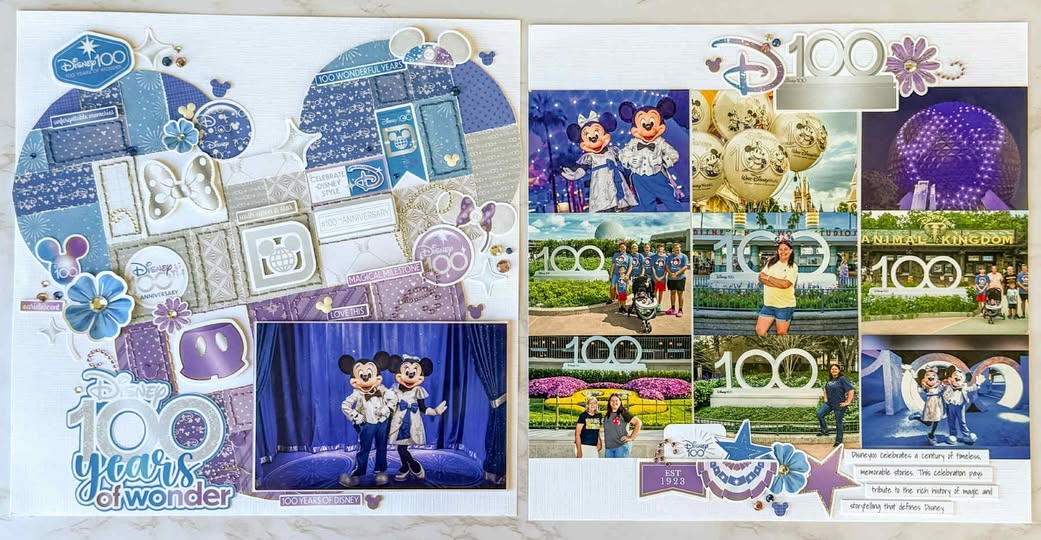
Take a look at this gorgeous Disney 100th Anniversary layout using the Disney 100 collection. Lisa used the Silhouette’s print-and-cut feature to customize embellishments and create a large Mickey head design filled with patterned paper squares in purple, silver, and blue. She mixed her personal park photos with stock images to tell a complete story of the celebration. Watch as she walks you through every step—cutting, piecing, stitching, and assembling. Click HERE to watch this Scrap With Me video.
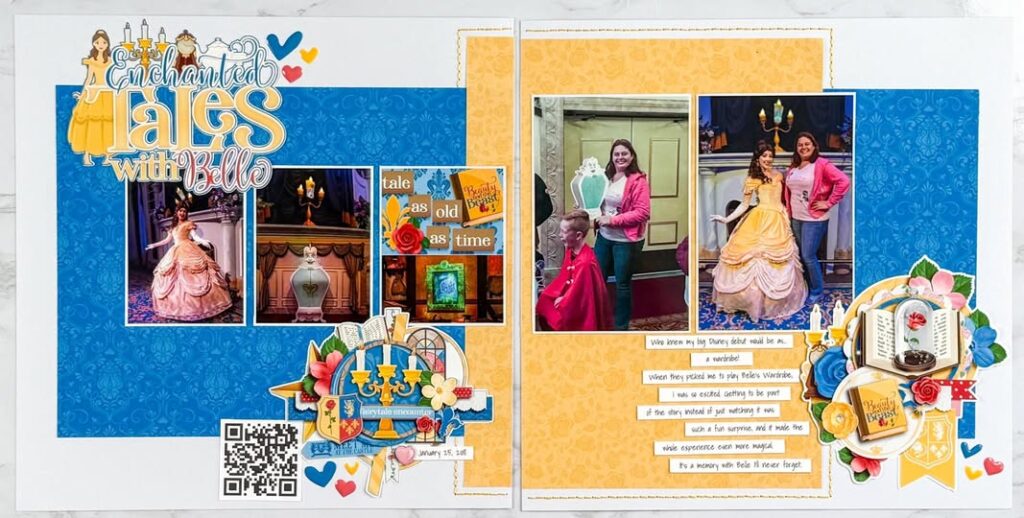
Watch how Lisa uses Page Starters and Word Art from the Enchanted Princess collection to make a layout come together quickly. Page Starters are pre-made clusters that take the stress out of starting with a blank page, so you can focus on adding photos and memories while still ending up with a beautiful, detailed layout. Click HERE to watch.
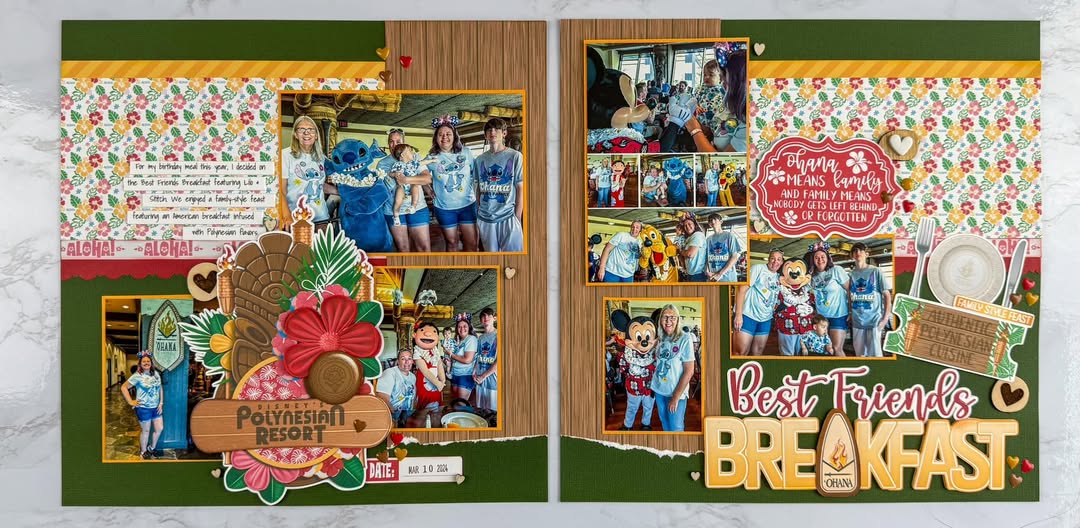
This double page layout highlights the Best Friends Breakfast at Ohana. Using the Reservation Ohana collection, Lisa layers digital elements, experiments with print-and-cut techniques, and shares her insights on the best papers for hybrid scrapbooking. Click HERE to watch her process video.
Leave a Reply
Your email is safe with us.
You must be logged in to post a comment.